
What is VDI used for?
Empowering remote work
An increasing number of companies are implementing VDI for remote workers because virtual desktops are easier to deploy and update from a centralized location.
Enabling task-based or shift work
Organizations such as call centers or public computer labs that have a large number of users who need the same software to perform limited tasks find non persistent VDI to be particularly well suited to their use case
Meeting security and compliance requirements
VDI services can help keep apps and data secure and compliant with intelligent security capabilities that can proactively detect threats and take remedial action.
Allowing users to bring their own devices (BYOD)
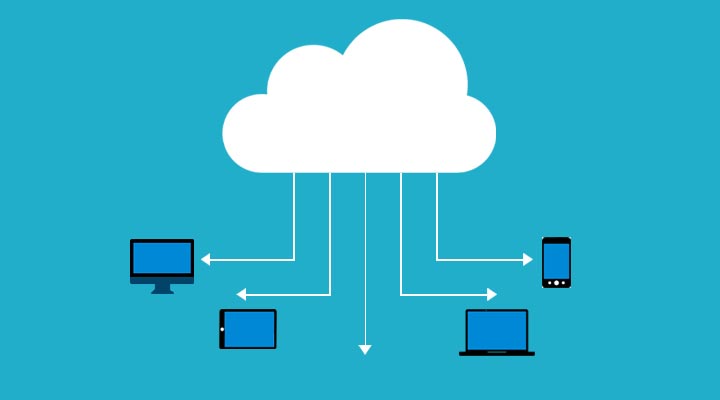
Since processing is done on a centralized server, VDI is an ideal solution for organizations with BYOD policies as it allows the use of a wider range of devices. It also helps with data security because data lives on the server and is kept off the client devices.
Host Pools
SINGLE DESKTOP
Personal, where each session host is assigned to an individual user. Personal host pools provide dedicated desktops to end-users that optimize environments for performance and data separation.
POOLED DESKTOP
Pooled, where user sessions can be load balanced to any session host in the host pool. There can be multiple different users on a single session host at the same time. Pooled host pools provide a shared remote experience to end-users, which ensures lower costs and greater efficiency.
FEATURES AND BENEFITS OF VDI
Remote access, productivity, and device portability
Workers who are frequently mobile or out in the field can pull up a virtual desktop containing the full range of virtual apps and data—like having a mobile office available on-demand. With VDI technology, the desktop is not chained to the hardware; you can view your desktop from multiple devices—whether mobile, laptops, tablets, or thin client devices.
Enhanced security
Because VDI is centralized and sandboxed, it can be a foundational component of a company’s security strategy. It eliminates the IT headache of having sensitive company data stored locally on client devices. And it keeps personal apps and info separate from enterprise apps, helping to protect both sides.
Disaster recovery
At a time of a natural disaster, power outage, or a malware attack virtualization successfully minimizes organization downtime, responds quicker to downtime, and helps protect against any possible business disruption.
IT cost savings and lower hardware requirements
Because VDI processing is largely server-based, there’s no need for expensive or cutting-edge hardware. VDI can also save costs on licensing, other IT infrastructure, hardware refresh deployment, and maintenance, as well as saving investment costs on company-issued devices.
Teams Enhancement
Less network bandwidth compared to USB camera redirection.
Increase video frame rates, up to 30 fps.
Enhanced UI for ease of use in virtualized environments.
Ability to redirect multiple cameras.
High-performance, low latency audio & video calling.
5 STEPS WE FOLLOW FOR DEPLOYMENT
- Creating the Master Image
- Creating the Desktop Pool
- Connecting to an Individual Desktop
- Refresh
- Recompose